

A/B Testing Product Photos: How to Find Images That Convert
Learn A/B testing product photos the right way — what to test, tools to use, statistical significance tips, and proven findings that boost conversions.
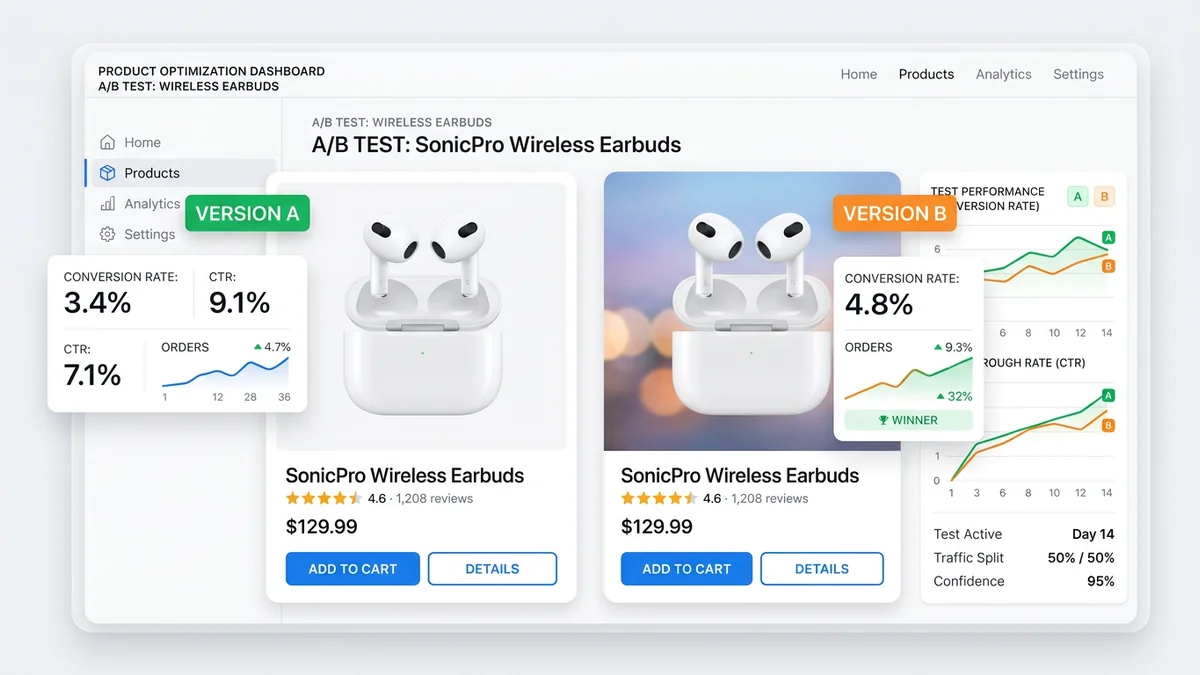
TL;DR
A/B testing product images is the most direct way to increase conversion rates without changing your product, price, or ad spend. Test one variable at a time — main image angle, background style, lifestyle vs studio, model vs no model, or infographic layout. Use Amazon Manage Your Experiments, Shopify A/B test apps, or PickFu for rapid pre-launch validation. Most tests need 1,000-5,000 visitors per variant and 7-14 days to reach statistical significance. Common findings: lifestyle main images outperform studio shots in most categories, and angle changes alone can lift conversions by 10-25%.
Key Takeaways
- A/B testing product images is the highest-ROI optimization most sellers never do
- Test one variable at a time: angle, background, lifestyle vs studio, model vs no model, props, or infographic style
- Amazon Manage Your Experiments is free and built-in for Brand Registry sellers — use it
- Most tests require 1,000-5,000 visitors per variant and 7-14 days for statistical significance at 95% confidence
- Common winning patterns: lifestyle main images, 45-degree angles, human hands holding the product, and clean infographics with 3-4 callouts
- AI photography enables rapid variant generation — create 10+ test candidates from one source image in minutes instead of booking multiple studio shoots
Why A/B Test Product Images
Most e-commerce sellers optimize their ads, pricing, and keywords relentlessly. But the product image — the single most influential element on a listing — is often set once and never revisited. This is a significant missed opportunity.
Product images determine three critical metrics: click-through rate from search results, conversion rate on the product detail page, and return rate after purchase. A better main image improves all three simultaneously. Data from Shopify merchants shows that image upgrades produce an average 20-40% conversion lift — a return most sellers cannot achieve through price cuts or increased ad spend.
The problem is that "better" is not always obvious. Professional photographers disagree on angles. Marketing teams argue over lifestyle vs studio. Designers have different opinions on infographic layouts. The only way to know what actually converts is to test it with real customers and real traffic.
A/B testing removes the guesswork. You show variant A to half your visitors and variant B to the other half, measure which one produces more purchases, and keep the winner. Then you test again. Incremental image improvements compound over time. A seller who runs four image tests per year — each producing a modest 10% lift — ends the year with 46% more conversions from the same traffic.
What to Test
Not all image changes are worth testing. Focus on variables that directly affect either the click decision (what customers see in search results) or the purchase decision (what they see on the product page).
Main Image Angle
The angle of your main image has an outsized impact on click-through rate because it is what customers see in search results before clicking.
Common angle tests:
| Angle | Best For | Notes | |-------|----------|-------| | Front-facing (straight on) | Flat products, packaging, electronics | Clean and predictable | | 45-degree (three-quarter view) | Most 3D products, bottles, containers | Shows depth and dimension | | Top-down (bird's eye) | Flatlay products, kits, multi-item sets | Shows everything at once | | Slightly elevated | Furniture, home goods, larger items | Mimics how you see items in a store |
In most categories, the 45-degree angle outperforms front-facing. The added dimension helps customers understand the product's shape and size. But this varies by product — flat items like phone cases or books often convert better with a straight-on front view.
Background Color and Style
While marketplace main images require white backgrounds, your Shopify store, social ads, and secondary marketplace images offer flexibility.
Test variables:
- Pure white vs light gray — Gray can make products pop but may look inconsistent
- White vs lifestyle environment — A kitchen blender on a countertop vs on white
- Solid color vs gradient — Branded backgrounds for DTC stores
- Shadow vs no shadow — Subtle drop shadows add depth and perceived quality
On Shopify, a colored background that matches your brand can increase conversion by 5-15% compared to plain white, depending on the product category and audience.
Lifestyle vs Studio
This is one of the most impactful tests you can run. The question: does your main image (or hero image on Shopify) convert better as a clean studio shot or a lifestyle image showing the product in use?
General findings across thousands of tests:
| Category | Typically Wins | Why | |----------|---------------|-----| | Supplements / Vitamins | Studio (white bg) | Buyers want to see the label clearly | | Home decor | Lifestyle | Buyers need to envision the product in their space | | Kitchen gadgets | Lifestyle (in-use) | Showing the product in action communicates value | | Electronics | Studio (45-degree) | Clean, detailed view wins for spec-driven purchases | | Apparel | Lifestyle (on model) | Buyers want to see fit and movement | | Beauty / Skincare | Studio or flat lay | Clean, premium look builds trust | | Pet products | Lifestyle (with pet) | Emotional connection increases purchase intent | | Fitness equipment | Lifestyle (person using) | Buyers need to see themselves using it |
These are patterns, not rules. Your specific product may break the pattern. That is why you test.
Model vs No Model
For products that can be shown on or with a person — apparel, accessories, fitness equipment, bags, sunglasses — the model question is significant.
Test dimensions:
- Product alone vs product on model — Does seeing a person increase or decrease conversion?
- Full body vs cropped — Does showing the full outfit context help or distract?
- Model demographics — Does the model's age, gender, or ethnicity match your target audience?
- Hands only — For smaller products, showing a hand holding the item can add scale without the complexity of a full model shot
A consistent finding: products shown with human hands or on a person convert 10-30% better than the same product on a flat white background. The human element adds scale, context, and emotional connection.
Props and Styling
Props can enhance or distract. Test whether adding contextual elements improves conversion:
- A coffee mug next to a laptop and notebook vs the mug alone
- A candle on a styled shelf vs the candle alone
- A supplement bottle with scattered ingredients vs the bottle alone
- A kitchen tool with prepared food vs the tool alone
The risk with props is that they draw attention away from the product. If your prop-styled image has a lower add-to-cart rate, the styling is distracting rather than enhancing.
Infographic Style and Layout
For secondary images (especially on Amazon and Walmart), infographic design significantly affects how customers process product information.
Test variables:
- Number of callouts — 3-4 vs 5-7 (more is not always better)
- Icon style — Minimal line icons vs filled/colorful icons
- Text size — Larger with fewer points vs smaller with more detail
- Layout — Product centered with callouts around it vs product on one side with text on the other
- Color scheme — Brand colors vs neutral/white backgrounds
A common finding: infographics with 3-4 well-chosen callouts outperform busy infographics with 7+ points. Mobile users (the majority of marketplace traffic) cannot read small text, so fewer and larger callouts win.
Testing Tools
The right tool depends on your platform and budget.
Amazon Manage Your Experiments
Amazon's built-in A/B testing tool for Brand Registry sellers. Free to use and directly integrated with your listing.
| Feature | Detail | |---------|--------| | Cost | Free (requires Brand Registry) | | What you can test | Main image, A+ Content, title, bullet points | | Traffic split | Automatic 50/50 | | Duration | Minimum 4 weeks, up to 10 weeks | | Statistical model | Amazon's internal confidence model (targets 95%) | | Limitations | Only one test per ASIN at a time; slow due to minimum duration |
This is the gold standard for Amazon sellers because the traffic is real, the split is controlled, and the results directly map to your listing performance. The downside is speed — 4-10 weeks per test means you can only run 5-13 tests per year per ASIN.
Shopify A/B Test Apps
For Shopify store owners, several apps enable product image testing directly on your storefront.
| App | Starting Price | Key Feature | |-----|---------------|-------------| | Neat A/B Testing | $29/mo | Simple product page testing with Bayesian stats | | Shoplift | $149/mo | Visual editor, full page testing | | Intelligems | $99/mo | Price + content testing combined | | Google Optimize (sunset) | N/A | Was free; replaced by Google Tag Manager + third-party |
For most Shopify sellers, Neat A/B Testing provides the best balance of simplicity and statistical rigor. If you also test page layouts and checkout flows, Shoplift is worth the higher price.
PickFu
PickFu is a rapid polling platform that gets you directional data in hours instead of weeks. You describe your target audience, upload two or more image variants, and 50-500 respondents vote on which they prefer and explain why.
| Feature | Detail | |---------|--------| | Cost | $15-$50+ per poll (50-500 respondents) | | Speed | Results in 1-4 hours | | What you test | Any image, title, packaging, or concept | | Audience targeting | By age, gender, income, Amazon Prime status, interests | | Statistical validity | Directional, not the same as live traffic A/B test |
PickFu is best used as a screening tool before you commit to a live A/B test. If variant B wins 70-30 on PickFu, it is very likely to win in a live test. If the split is 55-45, a live test is needed to confirm.
Social Media Ad Platforms
Facebook/Meta Ads and TikTok Ads both support creative testing natively. Run the same ad with different product images and measure click-through rate and cost per acquisition.
This approach is fast and uses real purchase intent signals, but the audience seeing your ads may differ from your organic marketplace traffic. Use it as a complement to on-platform testing, not a replacement.
Sample Size and Statistical Significance
Running a test without enough data is worse than not testing at all — it gives you false confidence in a result that may be noise.
How Much Traffic You Need
The required sample size depends on three factors: your baseline conversion rate, the minimum effect you want to detect, and your confidence level.
| Baseline Conversion Rate | Minimum Detectable Effect | Required Visitors Per Variant (95% confidence) | |-------------------------|--------------------------|-----------------------------------------------| | 2% | 20% relative lift (to 2.4%) | ~12,500 | | 5% | 20% relative lift (to 6%) | ~4,700 | | 10% | 20% relative lift (to 12%) | ~2,200 | | 5% | 10% relative lift (to 5.5%) | ~18,800 | | 10% | 10% relative lift (to 11%) | ~8,600 |
For most e-commerce sellers with conversion rates between 3-10%, you need roughly 2,000-10,000 visitors per variant to detect a meaningful difference. Lower-traffic listings need to run tests longer or accept that only large effects (25%+ lifts) will be detectable.
How Long to Run Tests
Minimum 7 days for any test, regardless of traffic volume. This accounts for day-of-week effects (weekend vs weekday shopping behavior). Two full weeks is better. Amazon's Manage Your Experiments enforces a 4-week minimum for this reason.
Never stop a test early because it "looks like a winner." Early results are unreliable. A variant that leads 60-40 after day 2 frequently regresses to 52-48 or even flips by day 14. Set your duration upfront and commit to it.
Statistical Significance
Aim for 95% confidence, which means there is a 5% chance the observed difference is due to random variation. At 90% confidence, the noise risk doubles. Below 90%, the result is not actionable.
Most A/B testing tools calculate significance automatically. If you are running a manual test (comparing two time periods or using basic analytics), use an online sample size calculator before starting and a significance calculator when evaluating results.
Testing Methodology
Follow these principles to get reliable, actionable results.
One Variable at a Time
If you change the angle, background, and add text all at once, you cannot attribute the result to any single change. Test one variable per experiment:
- Test 1: Main image angle (straight-on vs 45-degree)
- Test 2: Winner from Test 1 with and without lifestyle background
- Test 3: Winner from Test 2 with and without infographic overlay
Sequential single-variable tests take longer but produce clear, reusable insights. When you test angle and learn that 45-degree wins, you carry that knowledge to every future product.
Control and Variant
Always keep the current image as the control (version A). The new candidate is the variant (version B). If the variant wins, it becomes the new control for the next test. This creates a clear progression and avoids ratcheting effects.
Document Everything
For each test, record:
- Test hypothesis (what you expect and why)
- Control image (exact file or description)
- Variant image (exact file or description)
- Start date and end date
- Platform and tool used
- Traffic volume per variant
- Conversion rate per variant
- Statistical confidence level
- Winner and margin
This documentation becomes your image optimization playbook. After 10-20 tests, you will have a data-driven understanding of what works for your specific products and audience.
Interpreting Results
A statistically significant result means the difference is real. But significance alone does not tell you whether the win is worth implementing.
Practical Significance
A test that produces a 1% conversion lift with 95% confidence is statistically significant but may not be practically significant. Consider:
- Revenue impact — Does the lift translate to meaningful revenue at your traffic volume?
- Implementation cost — If the winning image requires a full studio reshoot of 500 SKUs, is the 1% lift worth the investment?
- Opportunity cost — Could you get a bigger lift by testing something else instead?
A rule of thumb: if the conversion lift is below 5% relative, the result is likely real but may not justify the effort. Focus on tests that produce 10%+ lifts.
When Results Are Inconclusive
If your test ends without reaching statistical significance, that is useful data too. It means the visual difference between your variants is too small to meaningfully affect purchasing behavior. Move on to a different variable.
Do not re-run the same test hoping for a different outcome. If two 2-week tests of the same variable both come back inconclusive, the variable does not matter for your product. Test something else.
Segment Your Results
If your testing tool supports segmentation, check whether results differ by:
- Device — Mobile vs desktop (mobile shoppers may prefer different images)
- Traffic source — Organic vs paid (ad-driven visitors may have different intent)
- Geography — US vs international (cultural preferences affect image response)
A variant that wins overall may lose on mobile. Since mobile is typically 60-75% of e-commerce traffic, a mobile-losing variant is a problem even if it wins on desktop.
Testing Cadence
How often should you test?
Recommended Schedule
| Seller Size | Tests Per Product Per Year | Focus | |------------|--------------------------|-------| | Small (1-20 SKUs) | 4-6 tests on hero products | Main image optimization on top sellers | | Medium (20-100 SKUs) | 2-4 tests per top 20% of SKUs | Main + secondary image optimization | | Large (100+ SKUs) | Continuous testing on top 50 SKUs | Full image optimization program |
For most sellers, testing the main image of your top 5 products is the highest-ROI activity. These products get the most traffic, so even a small conversion lift produces meaningful revenue.
Seasonal Considerations
Product images that win in Q1 may not win in Q4. Holiday shoppers have different behavior — they shop faster, compare less, and respond more to gift-oriented lifestyle images. Consider retesting main images before major shopping events:
- Pre-Prime Day / Pre-Summer (May-June)
- Back-to-School (July-August)
- Pre-Black Friday (September-October)
- Holiday gift season (November)
Common Findings From Image Tests
After analyzing thousands of product image A/B tests across categories, these patterns appear consistently:
-
45-degree angles outperform front-facing shots for 3D products by 10-25%. The depth cue helps customers understand the product's form.
-
Lifestyle main images outperform studio shots in home, kitchen, fitness, and pet categories by 15-35%. The product-in-context framing answers "will this look good in my life?"
-
Human hands holding the product increase conversion by 10-30% compared to the product floating alone. Hands add scale and a sense of tangibility.
-
Infographics with 3-4 callouts outperform infographics with 6+ callouts. Less is more on mobile screens.
-
Consistent image sets (matching style across all slots) outperform mismatched sets by 8-15%. Visual consistency signals professionalism and trust.
-
Brighter, higher-contrast images outperform dark or muted images in search result click-through rate. In a grid of results, the brighter listing draws the eye.
-
Images showing the product in use outperform images showing the product alone for any product with a non-obvious use case.
-
Size comparison images (product next to a hand, coin, or ruler) reduce returns by 10-20% and improve conversion by 5-10% for products where size is ambiguous.
These findings are starting points. Your product, category, and audience may differ. Test to confirm.
AI Photography for Rapid Variant Generation
The traditional bottleneck in image testing is variant creation. A studio shoot produces one set of images. To test a different angle, background, or styling, you need another shoot — more time, more cost, more logistics.
AI product photography removes this bottleneck entirely. From a single source photo, you can generate dozens of variants in minutes:
- Different angles — Same product rendered at 0, 15, 30, 45, and 60-degree angles
- Different backgrounds — White, lifestyle kitchen, living room, outdoor, studio gradient
- Different styling — With props, without props, flatlay, hero shot, close-up
- Different lighting — Warm, cool, dramatic, natural, soft studio
- Different compositions — Product centered, product left with text space, product in context
With tools like AIOE, you upload one product photo and generate 10-20 variants for testing in under 10 minutes. Each variant costs a fraction of a studio shot. This changes the economics of testing from "we can afford to test 2 variants" to "we can test 15 variants and find the real winner."
The workflow becomes: generate variants with AI, screen the top candidates with PickFu or internal review, then run the top 2 in a live A/B test on your platform. This three-step process — generate, screen, validate — finds winning images faster and at lower cost than any traditional approach.
For sellers who have not tested their product images before, AI-generated variants are the fastest path to establishing a baseline and finding quick wins. For a deeper look at how AI images compare to traditional photography, see our guide on AI vs traditional product photography. To understand the data behind image quality and sales, read do product photos affect sales.
Frequently Asked Questions
How long should I run a product image A/B test?
Minimum 7 days to account for day-of-week shopping behavior variations. Two weeks is better for most sellers. Amazon's Manage Your Experiments requires a 4-week minimum. Never end a test early because one variant appears to be winning — early results are unreliable and frequently reverse. Set your test duration before starting and commit to it.
What is the minimum traffic needed for a valid image A/B test?
It depends on your conversion rate and the size of the effect you want to detect. For a typical 5% conversion rate product, you need roughly 4,700 visitors per variant to detect a 20% relative lift (from 5% to 6%) with 95% confidence. For lower-traffic products, consider PickFu polling (50-500 respondents, results in hours) for directional data instead of waiting months for a live test to reach significance.
Should I test my main image or secondary images first?
Test the main image first, always. The main image affects both click-through rate from search results and conversion rate on the product page. Secondary images only affect the product page. A 15% improvement in your main image lifts traffic and conversion simultaneously. Once your main image is optimized, move to testing secondary images and infographic layouts.
Can I A/B test images on Amazon without Brand Registry?
Amazon's Manage Your Experiments tool requires Brand Registry. Without it, you can still test by alternating images manually and comparing performance metrics week over week, but this method is less reliable because you cannot control for external variables (seasonality, competitor activity, ad spend changes). For non-Brand Registry sellers, PickFu provides the most cost-effective pre-launch image validation.
What conversion rate improvement should I expect from image testing?
Individual test results vary widely, but the cumulative impact is significant. A single main image test typically produces a 5-25% relative conversion lift when you find a clear winner. Over a year of consistent testing (4-6 tests on a product), total conversion improvement of 30-60% is common. The biggest gains usually come from the first test — switching from an untested default image to a validated winner.
How do I test product images for Shopify?
Install a Shopify A/B testing app (Neat A/B Testing or Shoplift are the most popular). Create a test with your current product image as the control and a new variant as the challenger. The app automatically splits traffic and tracks add-to-cart rate, checkout rate, and revenue per visitor. Run the test for at least 7 days with a minimum of 1,000 visitors per variant. If your store has low traffic, use PickFu for pre-launch screening instead.
Is PickFu reliable for product image testing?
PickFu provides directional data, not definitive results. When PickFu respondents strongly prefer one image (70-30 or better), that image almost always wins in live A/B tests too. When the split is close (55-45 or tighter), the live test may go either way. Use PickFu as a screening tool to narrow candidates before committing to a live test, not as a replacement for testing with real purchase traffic.
How does AI help with A/B testing product images?
AI product photography solves the variant creation bottleneck. Traditionally, testing 5 image variants meant 5 studio shoots or extensive Photoshop work. With AI tools like AIOE, you upload one product photo and generate dozens of variants — different angles, backgrounds, lighting, and styling — in minutes. This drops the cost of variant creation to near zero and lets you test more aggressively, finding winning images faster. See our AI product photography guide for specifics on how this works.