

Social Commerce Product Photography: Platform Guide
Social commerce product photography specs and strategies for Instagram, TikTok, Pinterest, and Facebook. Get the right sizes, styles, and formats.
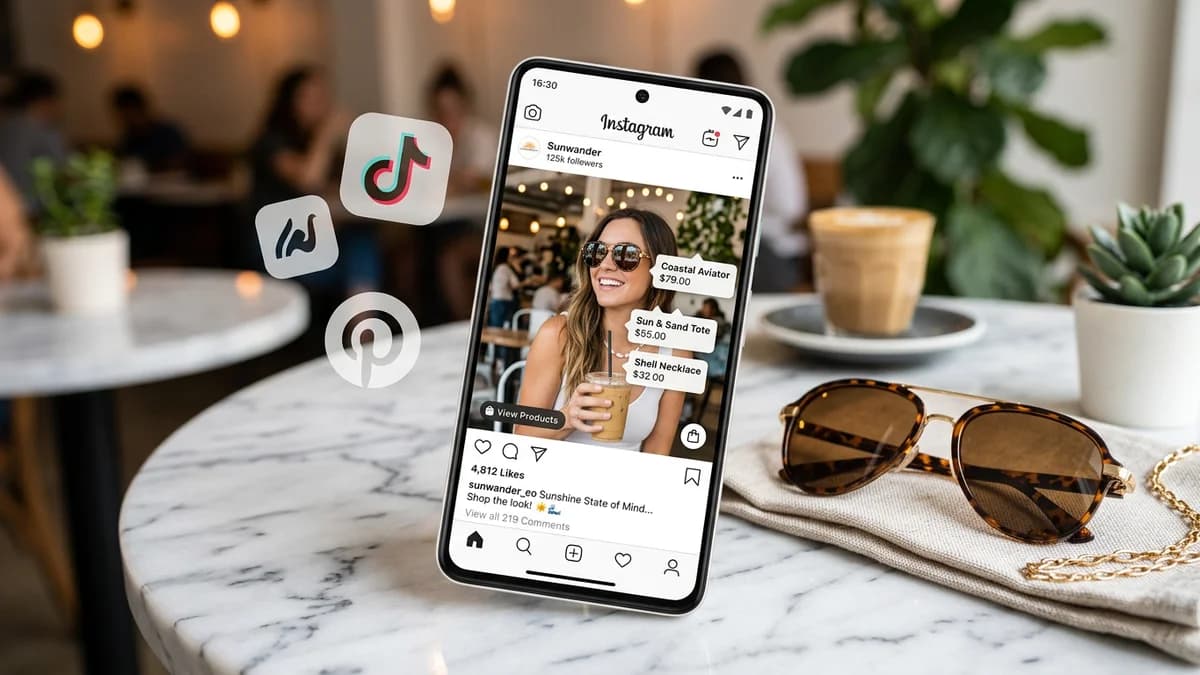
TL;DR
Social commerce product photography follows fundamentally different rules than marketplace photography. On Amazon, you optimize for compliance and white backgrounds. On Instagram, TikTok, Pinterest, and Facebook, you optimize for attention in a scroll-heavy feed where your product image competes with friends' vacation photos and cooking videos. Each platform has specific image specs (Instagram favors 4:5 portrait, TikTok demands 9:16 vertical, Pinterest rewards 2:3 pins, Facebook uses 1:1 square), distinct content style expectations (editorial vs UGC vs aspirational), and different mechanics for shoppable content. This guide covers the technical specs, creative strategies, and AI photography workflows for each platform.
Key Takeaways
- Each social platform has a dominant image format: Instagram 4:5 portrait (1080x1350px), TikTok 9:16 vertical (1080x1920px), Pinterest 2:3 portrait (1000x1500px), Facebook 1:1 square (1200x1200px)
- Traditional white-background product photography underperforms on every social platform — lifestyle, UGC-style, and editorial images consistently outperform clinical studio shots in social feeds
- Carousel posts drive 1.4x higher engagement than single images on Instagram and are the most effective format for product storytelling across all platforms
- UGC-style product photography (natural lighting, real environments, imperfect composition) outperforms polished studio shots on TikTok and increasingly on Instagram
- Pinterest is the only social platform where product images also function as long-term SEO assets — pins continue driving traffic for months, unlike ephemeral Instagram and TikTok content
- AI product photography tools can generate both polished and UGC-style images, making it practical to produce platform-specific variations from a single product photo
Why Social Commerce Photography Is Different
On a marketplace like Amazon, your product image appears in a standardized grid alongside other products. The shopper is already searching for your product category. Your image needs to be clear, compliant, and informative.
On social media, the context is completely different. Your product image appears in a feed alongside personal content — friends, entertainment, news, and other brands. The shopper is not searching for anything. They are scrolling. Your image needs to stop the scroll, create desire, and feel native to the platform.
This means:
- White-background product shots look like ads. On social platforms, ads are what people scroll past. Lifestyle, editorial, and UGC-style imagery blends into the feed and earns attention.
- Aspect ratio determines screen real estate. A 1:1 square image on Instagram takes up 40% less feed space than a 4:5 portrait. Less space means less attention.
- Platform algorithms reward engagement. Images that generate saves, shares, and comments get shown to more people. This favors emotionally resonant, aspirational, or useful content over product catalog shots.
- Shopping mechanics are integrated into content. Product tags, pins, and shop links live inside the content itself. The image is both the advertisement and the storefront.
Platform-Specific Image Specifications
Instagram Shopping
Instagram supports product tagging in feed posts, Stories, Reels, and the Instagram Shop tab. Each format has different optimal dimensions.
| Format | Dimensions | Aspect Ratio | Max File Size | Notes | |--------|-----------|-------------|--------------|-------| | Feed post (portrait) | 1080x1350px | 4:5 | 30MB | Maximum feed real estate — use this as default | | Feed post (square) | 1080x1080px | 1:1 | 30MB | Safer but less dominant in feed | | Feed post (landscape) | 1080x566px | 1.91:1 | 30MB | Avoid for product posts — too small | | Carousel (per image) | 1080x1350px | 4:5 | 30MB | Up to 20 images per carousel | | Stories / Reels cover | 1080x1920px | 9:16 | 30MB | Full-screen vertical | | Shop tab thumbnail | 1080x1080px | 1:1 | — | Auto-cropped from your product images |
Key Instagram guidelines:
- Product tags can be added to feed posts, Stories, carousels, and Reels.
- Each post can tag up to 5 products (20 products in a carousel).
- Tagged products link to a product detail page within the Instagram app, which links to your website for checkout.
- Instagram's algorithm favors 4:5 portrait images in the feed because they take up more screen space, leading to longer view times.
TikTok Shop
TikTok Shop product images appear in the shop tab, in-feed product cards, and live shopping overlays. TikTok is the most video-centric platform, but static product images are still required for the shop catalog.
| Format | Dimensions | Aspect Ratio | Max File Size | Notes | |--------|-----------|-------------|--------------|-------| | Product listing (main) | 1200x1600px | 3:4 | 5MB | White background required for main image | | Product listing (additional) | 1200x1600px | 3:4 | 5MB | Lifestyle images allowed | | In-feed product card | 1080x1920px | 9:16 | — | Auto-generated from video/product images | | Shop tab thumbnail | 1:1 crop from listing image | 1:1 | — | Auto-cropped — keep product centered |
Key TikTok Shop guidelines:
- TikTok requires a white background for the main product image — similar to Amazon's policy.
- Additional images (up to 9 per product) allow lifestyle and UGC-style content.
- Video content dramatically outperforms static images on TikTok. A product listing with a 15-second product video converts significantly better than one with images alone.
- TikTok's audience skews toward authenticity — polished studio photography can feel inauthentic on this platform.
Pinterest Product Pins
Pinterest is unique among social platforms because it functions as a visual search engine. Product Pins include real-time pricing, availability, and a direct link to purchase. Pins have a long shelf life — a well-optimized pin can drive traffic for 6-12 months.
| Format | Dimensions | Aspect Ratio | Max File Size | Notes | |--------|-----------|-------------|--------------|-------| | Standard Product Pin | 1000x1500px | 2:3 | 20MB | The optimal pin format for products | | Idea Pin (multi-page) | 1080x1920px | 9:16 | 20MB per image | Up to 20 pages — good for product storytelling | | Pin thumbnail | Auto-cropped from pin image | — | — | Ensure product is visible in top 60% of image |
Key Pinterest guidelines:
- 2:3 portrait is the dominant pin format. Pins in this ratio take up the most space in Pinterest's masonry grid and consistently outperform square and landscape pins.
- Lifestyle images dramatically outperform white-background product shots on Pinterest. Context sells on this platform — show the product in use, in a styled scene, or in an aspirational setting.
- Text overlay is allowed but Pinterest's algorithm penalizes excessive text. Keep text minimal (product name, one benefit) and let the image do the work.
- Pinterest SEO matters: pin descriptions, board titles, and image alt text all influence how pins surface in Pinterest search. Use natural keywords in your pin descriptions.
For detailed size specifications across all marketplaces, see our product image size guide.
Facebook Marketplace & Facebook Shops
Facebook has two commerce surfaces: Marketplace (peer-to-peer and business listings) and Facebook Shops (dedicated storefront within Facebook). Image requirements differ slightly.
| Format | Dimensions | Aspect Ratio | Max File Size | Notes | |--------|-----------|-------------|--------------|-------| | Marketplace listing | 1200x1200px | 1:1 | 10MB | Square is standard for marketplace grid | | Facebook Shop product | 1024x1024px min | 1:1 | 8MB | Higher resolution preferred | | Feed post (shoppable) | 1200x1200px (square) or 1200x628px (landscape) | 1:1 or 1.91:1 | 30MB | Product-tagged feed posts | | Carousel ad (per image) | 1080x1080px | 1:1 | 30MB | Up to 10 images per carousel |
Key Facebook guidelines:
- Facebook Marketplace uses a 1:1 grid layout. Square images display best.
- Clean backgrounds with good lighting outperform cluttered or dark images in Marketplace, where buyers are scanning dozens of listings.
- Facebook Shops supports product tagging in posts, similar to Instagram.
- Facebook's algorithm does not strongly penalize white-background product images the way Instagram and TikTok do, but lifestyle content still outperforms on engagement metrics.
Content Style: Editorial vs UGC vs Studio
The biggest difference between social commerce photography and marketplace photography is content style. Each social platform has a style that feels native, and products photographed in that style outperform those that feel out of place.
Studio / Catalog Style
Clean white background, even lighting, product centered in frame. This is the standard for Amazon, eBay, and Walmart.
Where it works on social: TikTok Shop main images (required), Facebook Marketplace (acceptable), Instagram Shop tab (acceptable).
Where it underperforms: Instagram feed, Pinterest, TikTok in-feed content. Studio shots look like ads in social feeds and get scrolled past.
Editorial / Aspirational Style
Styled scenes, curated environments, professional lighting with intentional shadows and depth. The product is part of a larger visual story. Think magazine photography — everything is deliberate and beautiful.
Where it works on social: Pinterest (best-performing style), Instagram feed (strong performance), Facebook Shops (good for brand-building).
Where it underperforms: TikTok (too polished for the platform's aesthetic).
UGC (User-Generated Content) Style
Natural lighting, real-world environments, slightly imperfect composition. Looks like a photo someone took with their phone in their actual home. The product appears authentic and relatable rather than aspirational.
Where it works on social: TikTok (best-performing style), Instagram Stories and Reels (strong), Instagram feed (increasingly preferred over editorial).
Where it underperforms: Pinterest (where curated beauty drives saves).
Style Recommendations by Platform
| Platform | Primary Style | Secondary Style | Avoid | |----------|--------------|-----------------|-------| | Instagram Shopping | Editorial | UGC | Studio/catalog | | TikTok Shop | UGC | Studio (main image only) | Over-polished editorial | | Pinterest | Editorial / aspirational | Lifestyle | Studio/catalog, heavy text overlay | | Facebook Marketplace | Clean/simple | UGC | Over-produced editorial | | Facebook Shops | Editorial | UGC | Catalog-only |
UGC-Style Product Photography
UGC-style content is the dominant aesthetic on TikTok and increasingly on Instagram. It mimics the look of content created by real customers rather than professional photographers.
Characteristics of UGC-Style Product Photos
- Natural lighting. Window light, outdoor light, or ambient room light rather than studio strobes.
- Real environments. Kitchen counters, office desks, bathroom shelves, bedside tables — wherever the product would actually live.
- Casual composition. Slightly off-center, imperfect angles, natural clutter in the background. Not messy, but not styled.
- Warm tones. UGC tends toward warm, slightly golden tones rather than cool, clinical studio lighting.
- Human elements. Hands holding the product, the product in use, casual selfies with the product. People signal authenticity.
Why UGC Outperforms on Social
Social media users are trained to scroll past ads. UGC-style content does not trigger the "this is an ad" reflex because it looks like regular content from a regular person. Studies consistently show that UGC-style product content generates 4-6x higher engagement than traditional studio photography on Instagram and TikTok.
Creating UGC-Style Images at Scale
For small catalogs, you can photograph products in your own home with your phone. For larger catalogs, this does not scale. Options:
- Hire UGC creators. Services like Billo, Insense, and JoinBrands connect you with creators who photograph your products in UGC style. Cost: $50-200 per set.
- AI-generated UGC-style images. AI photography tools like AIOE can generate images with natural lighting, real-world settings, and casual compositions — the visual characteristics of UGC without the logistics of shipping products to creators.
- Actual customer content. Encourage customers to share photos with your product. Repost with permission. This is the most authentic UGC but the least controllable.
Vertical vs Square vs Landscape
Aspect ratio is a critical strategic choice on social platforms because it directly determines how much screen space your product gets in the feed.
Screen Real Estate Comparison
On a standard mobile screen (approximately 390px wide), here is how much vertical space each aspect ratio occupies in a social feed:
| Aspect Ratio | Feed Height | % of Screen | Best For | |-------------|-------------|-------------|----------| | 9:16 (vertical) | Full screen (Stories/Reels) | 100% | TikTok, Instagram Stories, Reels | | 4:5 (portrait) | ~488px | ~65% | Instagram feed posts | | 1:1 (square) | ~390px | ~52% | Facebook, Instagram (secondary) | | 2:3 (portrait) | ~585px | ~78% | Pinterest pins | | 1.91:1 (landscape) | ~204px | ~27% | Avoid for product posts |
The conclusion is clear: vertical and portrait formats command significantly more attention than square and landscape. Every percentage point of screen real estate translates to more time the shopper's eye spends on your product.
When to Use Each
9:16 vertical: TikTok content, Instagram Stories/Reels, Pinterest Idea Pins. Full-screen formats where the product should be immersive.
4:5 portrait: Instagram feed posts. This is the maximum aspect ratio Instagram allows in the feed and should be your default for Instagram Shopping posts.
2:3 portrait: Pinterest Product Pins. This is Pinterest's optimal ratio for the masonry grid layout.
1:1 square: Facebook Marketplace, Facebook feed posts, Instagram when you need compatibility across multiple reposts. Square is the universal safe choice but sacrifices screen real estate on every platform.
Landscape: Avoid for product photography on social platforms. The only exception is Facebook link preview images (1.91:1), where the format is dictated by the link card layout.
Shoppable Posts Optimization
Shoppable posts are regular social media posts with embedded product tags that let users tap to view product details and purchase. Optimizing them requires balancing social media best practices with commerce considerations.
Instagram Shoppable Posts
Tag placement: Product tags appear as small dots or labels on the image. Place your product in a position where the tag does not obscure important visual elements. Center or slightly off-center product placement works best.
Caption strategy: The caption should add context the image cannot — materials, sizing, use cases, social proof. Do not repeat what the image already shows. Include a call-to-action: "Tap to shop" or "Link in bio for all colors."
Hashtag strategy: Use 5-15 relevant hashtags. Include a mix of broad hashtags (#homedecor, #skincare) and specific ones (#handmadeceramics, #organicskincare). Do not use hashtags in the image itself.
Posting frequency: Brands that post shoppable content 3-5 times per week see the best results. Daily posting with lower quality underperforms consistent posting with higher quality images.
Pinterest Shoppable Pins
Pin descriptions: Write 100-300 character descriptions with natural keywords. Pinterest search is keyword-driven — your description directly influences how the pin surfaces in search results.
Board organization: Group products into themed boards that match shopping intent ("Kitchen Essentials," "Gift Ideas Under $50," "Spring Wardrobe Refresh"). Well-organized boards drive more pin saves.
Rich Pins: Ensure your website has Product Open Graph meta tags so Pinterest can pull real-time pricing and availability into your pins. Rich Pins with pricing outperform standard pins.
TikTok Shoppable Content
Product showcase videos outperform static shoppable posts on TikTok by a wide margin. If you are investing in TikTok Shop, prioritize video content over static images for shoppable posts.
Product links in videos should appear in the first 3 seconds. TikTok users decide whether to keep watching within 1-2 seconds. If the product and the purchase option are not immediately visible, the user scrolls.
Carousel Best Practices
Carousels (multi-image posts that users swipe through) are the highest-performing product content format on Instagram and Facebook, driving 1.4x higher engagement than single images.
Carousel Strategy for Product Photography
Image 1 (the hook): This is the only image visible in the feed before swiping. It must stop the scroll. Use your most visually striking image — a lifestyle shot, a bold color, an unexpected angle. Do not start with a white-background product shot.
Image 2-3 (the product): Show the product clearly from multiple angles. Include detail shots of materials, textures, and distinctive features. This is where you satisfy the curiosity generated by image 1.
Image 4-5 (social proof or use case): Show the product in use, customer reviews as graphics, or before/after results. This builds purchase confidence.
Image 6-10 (optional): Additional angles, color variants, size comparisons, or lifestyle contexts. Each additional slide should add new information — do not repeat the same shot from a slightly different angle.
Carousel Technical Specs
| Platform | Max Images | Optimal Dimensions | Aspect Ratio | |----------|-----------|-------------------|-------------| | Instagram | 20 | 1080x1350px | 4:5 | | Facebook | 10 | 1080x1080px | 1:1 | | Pinterest (Idea Pins) | 20 | 1080x1920px | 9:16 | | TikTok (photo mode) | 35 | 1080x1920px | 9:16 |
Consistency within the carousel: All images in a carousel should have the same aspect ratio and a cohesive visual style (same color palette, same lighting mood, same editing treatment). A carousel that jumps between white-background studio shots and warm-toned lifestyle images feels disjointed.
Video vs Static: When to Use Each
Social platforms increasingly prioritize video content. But static images are not dead — they serve different purposes.
When Static Images Win
- Product detail. High-resolution static images let users zoom in on materials, textures, and fine details. Video cannot match this.
- Pinterest. Pinterest's core experience is built around static images. Idea Pins (Pinterest's video format) exist but standard pins still drive the majority of product discovery.
- Instagram carousel posts. Multi-image carousels outperform single videos for product storytelling on Instagram.
- Quick production. Static images are faster and cheaper to produce, especially with AI tools.
When Video Wins
- TikTok. Always. TikTok is a video platform. Static content exists but gets significantly less distribution.
- Instagram Reels. Reels get 2-3x the reach of feed posts in 2026. Product content in Reels format reaches more people.
- Product demonstrations. Products that need to show function, movement, or transformation (before/after) are better served by video.
- Facebook ads. Video ads consistently outperform static image ads on Facebook in cost-per-click and conversion rate.
The Hybrid Approach
The most effective social commerce strategy uses both:
- Video for reach and awareness. Short (15-30 second) product videos for TikTok and Instagram Reels. Focus on demonstrating the product in use.
- Static images for conversion and detail. High-quality product images in Instagram carousels, Pinterest pins, and product catalog pages. Focus on showing the product clearly from multiple angles.
- Thumbnails bridging the gap. Video thumbnails and cover images are static images that determine whether someone taps to watch the video. Use your strongest product image as the thumbnail.
Trending Aesthetics by Platform (2026)
Visual trends shift fast on social media. Here is what is performing well in early 2026.
- Clean minimalism with warmth. Neutral backgrounds (beige, cream, soft gray) with warm natural lighting. Not cold and clinical, but still curated.
- Textured surfaces. Linen tablecloths, marble counters, wooden boards, concrete slabs. The surface adds visual interest without competing with the product.
- Muted color palettes. Desaturated tones are trending over bold, saturated colors. Think earthy, understated, sophisticated.
- Negative space. Generous white (or cream) space around the product. Lets the image breathe in the feed.
TikTok
- Raw authenticity. Phone-quality, natural-light, "just happened to film this" aesthetic. Over-produced content is immediately identified and scrolled past.
- Close-up product reveals. Starting with extreme close-ups of product details (texture, pouring, unboxing) before revealing the full product.
- Green screen and product demos. Creator on screen with the product, demonstrating or reviewing. The product is shown in a real context with a real person.
- ASMR-adjacent. Satisfying sounds of product use — unboxing, application, pouring, clicking. Audio matters as much as visuals on TikTok.
- Aspirational styling. Products in beautifully styled environments — the kind of home, wardrobe, or kitchen the pinner wants to have. Pinterest is a platform for aspiration.
- Seasonal relevance. Pins that connect to current seasons, holidays, and cultural moments outperform generic product shots. "Spring kitchen refresh" outperforms "cutting board for sale."
- Step-by-step and how-to. Pins that show how to use, style, or incorporate a product get saved at higher rates. Idea Pins with instructional content drive strong engagement.
- Bright, well-lit images. Pinterest's algorithm and user base favor bright, clear images over moody, dark aesthetics.
- Straightforward and trustworthy. Facebook Marketplace buyers value clarity — well-lit products, clean backgrounds, multiple angles. Less about style, more about seeing exactly what they are buying.
- Social proof integration. Lifestyle images showing the product being used by real people (or realistic-looking people) build trust on a platform where scam awareness is high.
- Price-value signaling. Images that subtly communicate value — product shown with its packaging, accessories included, or in a premium-looking setting — outperform bare product shots on Facebook.
AI Tools for Social Commerce Imagery
AI product photography tools bridge the gap between marketplace photography (clean, compliant, efficient) and social commerce photography (styled, platform-specific, attention-grabbing).
What AI Photography Can Generate for Social Commerce
| Content Type | AI Capability | Platform Use | |-------------|--------------|--------------| | Lifestyle scenes | Product placed in realistic styled environments | Instagram, Pinterest, Facebook | | UGC-style images | Natural lighting, casual settings, imperfect composition | TikTok, Instagram | | Multiple aspect ratios | Same product at 1:1, 4:5, 2:3, 9:16 from one source | All platforms | | Color variant sets | Same scene with different product colors | Instagram carousels, Pinterest | | Seasonal styling | Product in seasonal contexts (holiday, spring, summer) | Pinterest (high-performing for seasonal content) | | White-background main images | Clean studio shots for product catalogs | TikTok Shop (required), Facebook Shops |
The Workflow for Multi-Platform Social Commerce
- Start with one product image — a clean photo of your product, or the product URL.
- Generate your marketplace images first — white background, multiple angles, 1:1 square at 2048x2048px. These serve Amazon, Shopify, and TikTok Shop main listings.
- Generate platform-specific social images:
- 4:5 lifestyle shot for Instagram feed posts.
- 2:3 styled scene for Pinterest Product Pins.
- 9:16 vertical for Instagram Stories and TikTok.
- 1:1 lifestyle shot for Facebook.
- Generate variant and seasonal variations as needed.
- Add product tags and descriptions per platform when publishing.
This workflow produces 8-12 platform-optimized images from a single product photo, covering all major social commerce channels.
For a broader overview of AI product photography capabilities, see our complete AI product photography guide.
AI vs Hiring Creators
For brands selling 10+ products across multiple social channels, the content volume required is enormous. A single product might need 15-20 images (marketplace + social + seasonal + variants).
| Factor | AI Photography | Creator/Photographer | |--------|---------------|---------------------| | Cost per image | $0.10-2.00 | $20-100+ | | Turnaround | Minutes | Days to weeks | | Consistency | Perfectly consistent | Varies by creator | | Authenticity feel | Improving rapidly | Inherently authentic | | Scalability | Unlimited | Limited by creator availability | | Platform-specific output | Configurable per platform | Requires separate briefs |
The practical approach for most brands is a hybrid: AI for the bulk of product images (marketplace listings, basic social content, variant images), and creators/photographers for hero content (campaign shoots, influencer collaborations, video content).
Social Commerce Image Checklist
Before publishing product content on any social platform:
Technical
- Images match the platform's optimal aspect ratio (4:5 Instagram, 2:3 Pinterest, 9:16 TikTok, 1:1 Facebook).
- Resolution meets or exceeds platform minimums (1080px width minimum across all platforms).
- File size is within limits (5MB for TikTok, 30MB for Instagram).
- Images are in sRGB color space.
Content Style
- Images feel native to the platform (editorial for Pinterest, UGC for TikTok, curated for Instagram).
- Products are clearly visible and identifiable at thumbnail size.
- No excessive text overlay (particularly for Pinterest, which penalizes text-heavy pins).
- Carousel posts start with a scroll-stopping hook image, not a catalog shot.
Commerce Integration
- Product tags are correctly placed and link to the right product.
- Product data (price, availability) is accurate and synced.
- Landing page matches the product shown in the social image.
- Alt text and descriptions include relevant keywords (especially for Pinterest SEO).
Consistency
- All images within a carousel have the same aspect ratio and visual style.
- Brand colors, fonts, and styling are consistent across posts.
- Product colors and features match the real product (accuracy over aesthetics).
Frequently Asked Questions
What image size works across all social platforms?
There is no single size that is optimal everywhere. If you must use one image across all platforms, 1080x1080px (1:1 square) is the safest universal choice. However, platform-specific sizing outperforms universal sizing significantly — a 4:5 image on Instagram gets 65% more screen space than a 1:1, and a 2:3 pin on Pinterest takes up 50% more grid space than square. For best results, generate platform-specific aspect ratios from your source product photo.
Should I use the same product photos on social media that I use on Amazon?
No. Amazon product photos (white background, clean studio lighting, product-only composition) underperform on social media because they look like ads. Use your Amazon-style images for marketplace listings and product catalogs. For social media, create lifestyle, editorial, or UGC-style versions of the same product that feel native to each platform. Both image sets can be generated from the same source product photo using AI tools.
How important is video vs static images for social commerce?
It depends on the platform. On TikTok, video is essential — static content gets significantly less distribution. On Instagram, Reels reach more people but carousels drive higher engagement and conversion. On Pinterest, static images still dominate product discovery. The best strategy is a mix: video for reach and awareness (TikTok, Instagram Reels), static images for conversion and detail (Instagram carousels, Pinterest pins, product catalogs). If you can only invest in one format, start with high-quality static images — they work everywhere and are faster to produce.
What is UGC-style product photography and why does it work?
UGC (User-Generated Content) style mimics the look of photos taken by real customers: natural lighting, real-world environments, casual composition, warm tones. It works because social media users are trained to scroll past polished ads but stop for content that looks authentic and relatable. On TikTok especially, UGC-style content generates 4-6x higher engagement than studio photography. AI tools can now generate UGC-style images at scale, giving you the authenticity aesthetic without the logistics of shipping products to creators.
How many product images should I post per week on each platform?
Quality matters more than quantity, but here are baseline frequencies that high-performing product brands maintain: Instagram 3-5 shoppable posts per week, Pinterest 5-15 pins per week (Pinterest rewards volume more than other platforms), TikTok 1-3 product videos per week, Facebook 2-3 product posts per week. These frequencies assume you are maintaining quality. One excellent carousel per week outperforms five mediocre single images.
Can AI generate platform-specific product images from one photo?
Yes. AI product photography tools like AIOE can take a single product image and generate variations at different aspect ratios (1:1, 4:5, 2:3, 9:16), in different styles (studio, lifestyle, UGC), and in different contexts (seasonal, editorial, minimal). This produces 8-15 platform-optimized images from one source photo, covering marketplace listings and social commerce channels. For a full walkthrough, see our AI product photography guide.